Admin rights on a FiveM server do not live in one place — they come from three separate layers: the txAdmin panel that manages the server process, the ACE permission system inside server.cfg, and your framework's own group table in ESX or QBCore. Almost every "I gave them admin but the commands do nothing" report traces back to mixing those layers up. This guide sets each one up in the right order, shows you how to find a player's identifier, and walks through the six mistakes that most often cost server owners their community.
Before granting anything, be clear on what each layer covers. Confusing them is the number one time sink:
server.cfg. It decides which identity may run which command. This is your real security layer.user/admin in ESX, qbcore.god/qbcore.admin/qbcore.mod in QBCore. The in-game admin menu and roleplay commands are gated here.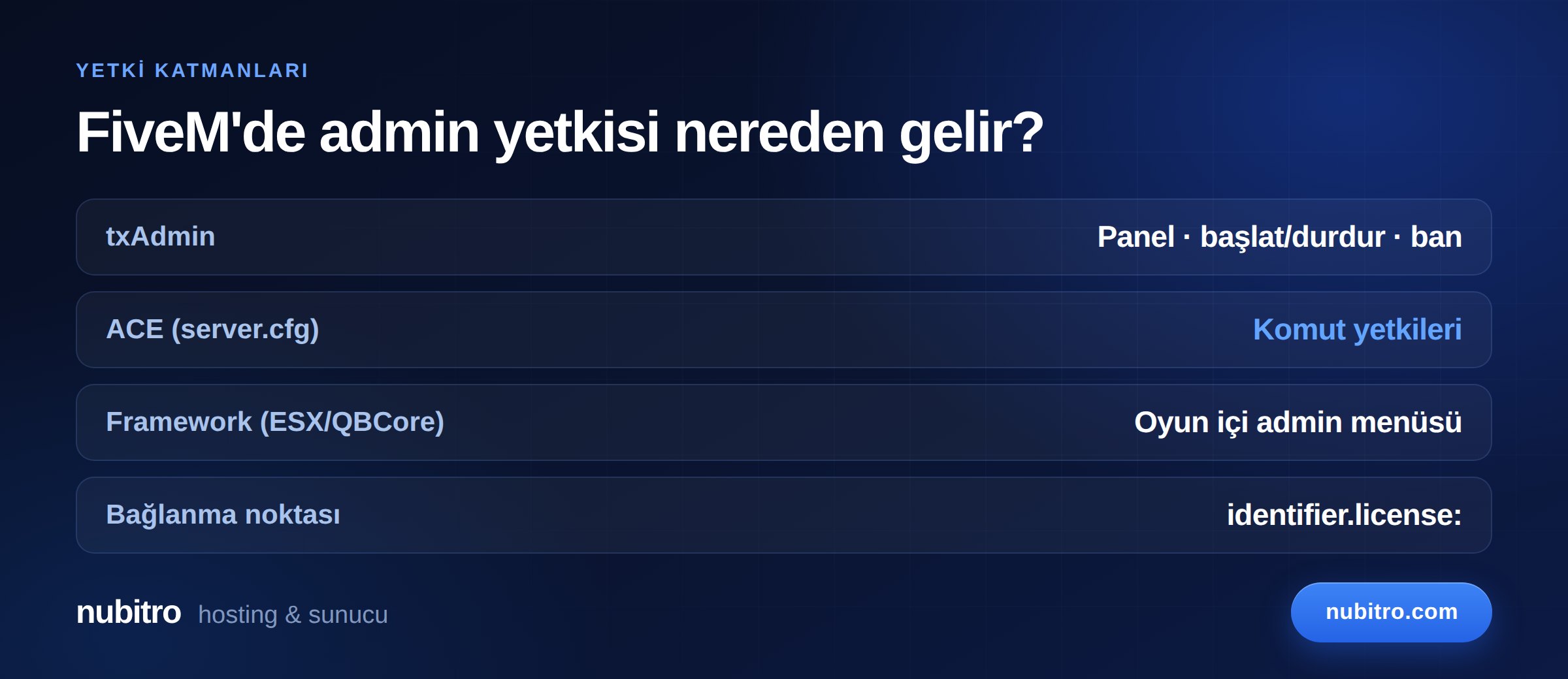
Giving someone full staff access usually means touching all three. Adding them to txAdmin and expecting /admin to open in-game will not work.
txAdmin is the default management panel for FiveM servers and runs on port 40120. To add someone:
Never share the master account, and never grant permissions a person does not need. A moderator has no reason to see the console, and no reason at all to be able to stop the server.
ACE is FiveM's official permission engine, built on two ideas: a principal (an identity or a group) and an object (a command or permission target). The documented commands are:
add_ace [principal] [object] [allow|deny] — grants or denies a permission to a group or identity.add_principal [child] [parent] — puts an identity into a group, or makes one group inherit from another.remove_ace and remove_principal — reverse those operations.test_ace [principal] [object] — checks whether a principal actually holds a permission. This is the first command to run when something is not working.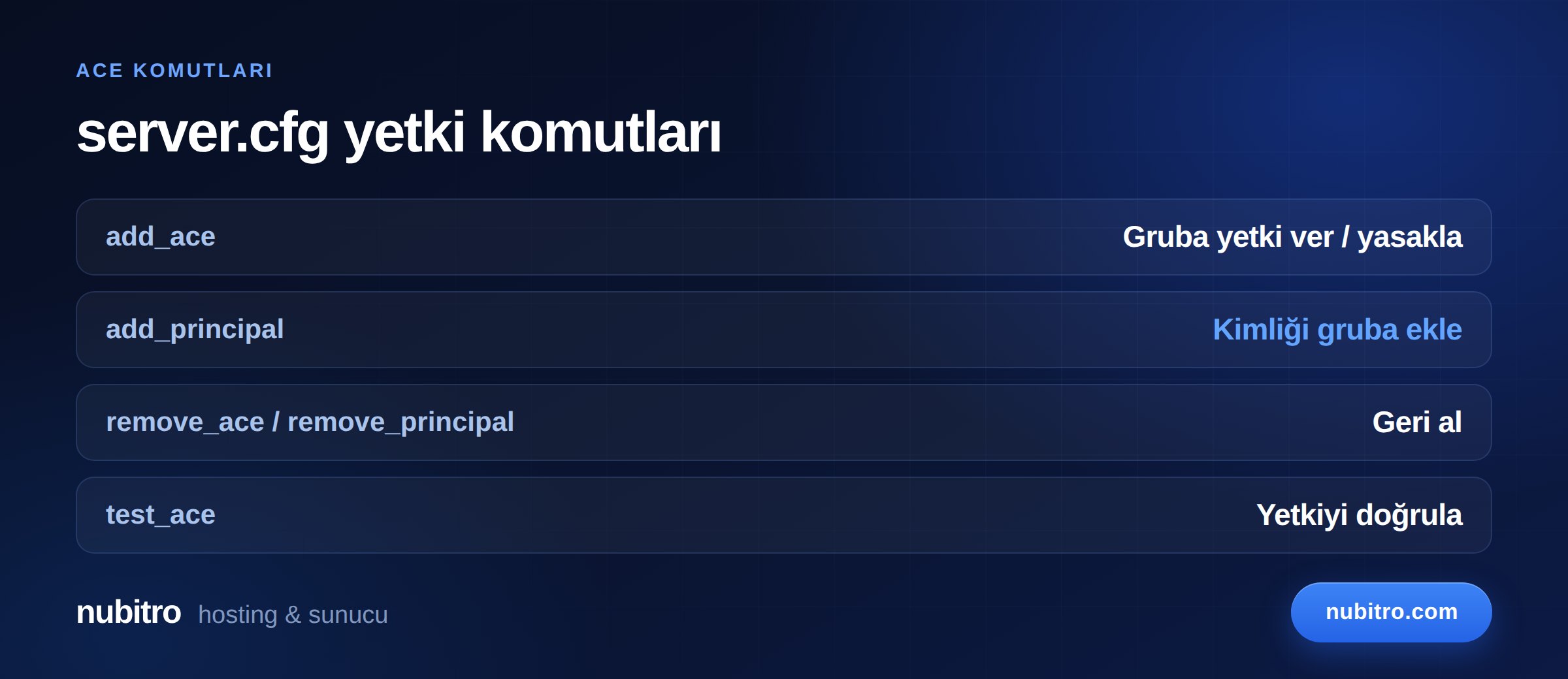
A minimal admin group looks like this:
add_ace group.admin command allow
add_ace group.admin command.quit deny
add_principal identifier.license:a1b2c3... group.admin
That second line matters more than it looks. command allow opens every command, including quit, which shuts the server down. Without an explicit deny, one angry staff member can end your night with a single word.
The easiest way to internalise ACE is to read each line as a sentence. add_ace group.admin command.kick allow says "let the admin group use kick." add_principal identifier.license:a1b2c3... group.admin says "make this identity a member of the admin group." You permission the group first, then put people in it — reversing that order is a common source of confusion.
Placement inside server.cfg matters too. Keep permission lines near the top, before the ensure lines that start your resources. Some scripts read the ACE table at startup; a permission declared afterwards is invisible to them and produces a "you do not have permission" error. ACE lines are also not hot-reloaded — testing without restarting the server is wasted effort.
ACE binds to identities, never to names. The identifier types FiveM recognises:
identifier.license: — the Rockstar licence hash. Present for every player and the most reliable choice.identifier.fivem: — the Cfx.re account ID.identifier.discord: — the Discord user ID, available only when Discord is linked.identifier.steam: — a hex Steam ID, present only if your server has a Steam Web API key configured.The practical way to read one: have the person connect, then copy it from the txAdmin player list or the connection line in your server console. If no Steam identifier appears, nothing is broken — the API key simply is not set. Use license.
Never use a Discord ID alone for sensitive permissions. Discord accounts can be transferred or compromised; the licence hash is tied to the player's Rockstar account.
Two details trip people up when copying identifiers. First, take the whole hash — some panels truncate it with an ellipsis, and a half-copied identifier fails silently rather than throwing an error. Second, keep the license: prefix; the line must read exactly identifier.license:<hash>. Most "I granted it and it still does not work" cases come down to one of these two.
Rather than handing everyone group.admin, build tiers. ACE groups can inherit from one another:
add_ace group.moderator command.kick allow
add_ace group.moderator command.ban allow
add_principal group.admin group.moderator
That last line says everyone in the admin group also has everything a moderator has. You manage moderator permissions in one place and never duplicate them into the admin block.
Three tiers cover most servers: moderator (kick, ban, mute), admin (everything a moderator has plus vehicle and item commands, teleport), and owner (everything, and the only tier where command.quit stays open). New staff always start at the bottom tier.
This is the layer that opens the in-game admin menu and roleplay commands. Frameworks build on ACE but use their own group names.
QBCore defines three default tiers: qbcore.god, qbcore.admin and qbcore.mod. Assignment happens in server.cfg:
add_principal identifier.license:xxxxxx qbcore.admin
It can also be done in-game with /addpermission [id] [permission] — for example /addpermission 1 god. To add your own tier, extend QBConfig.Server.Permissions in qb-core/config.lua and reference it as qbcore.<group> in the config.
In ESX Legacy the main groups are user and admin; superadmin is no longer a default group in current versions, so do not blindly copy superadmin lines from older tutorials. Groups are assigned with /setgroup [player id] [group].
Still choosing a framework? We compared resource usage and permission models in our ESX vs QBCore vs Qbox breakdown.
command allow. That line opens everything, including shutting the server down. Build tiers instead of handing out blanket access.command.quit open. Keep it on the owner tier only, even in a full-access group.ensure block at the top of server.cfg.add_principal line the same day someone leaves. Former staff are the most common cause of servers going down.Restart the server after editing permission lines — ACE entries in server.cfg are not read live. Then work through this order:
test_ace group.admin command.kick in the console. The result tells you whether the permission truly exists.ensure block, and was the framework group assigned as well?Setting up a new server and want the wider server.cfg picture? Our FiveM server setup guide covers it end to end, and the script installation guide explains permissions on the resource side.
A permission system only works properly when you actually control the machine. Shared panels give limited access to server.cfg, will not let you firewall the txAdmin port, and will not run your own rules. On your own server both the filesystem and the network layer are yours.
Nubitro's FiveM plans run from Istanbul with 10 Gbps unmetered traffic and always-on DDoS filtering, and you pick the operating system, extra disk and protection tier at checkout. Browse the specifications and current pricing on the FiveM server plans page. If you are still budgeting, our FiveM server cost breakdown separates every line item.
The reliable path is adding add_principal identifier.license:<hash> group.admin to server.cfg, then granting that group permissions with add_ace. For the in-game menu you must also assign the framework group — qbcore.admin in QBCore, admin in ESX.
No. txAdmin covers the panel and server management only. In-game commands come from ACE and your framework group; they are separate systems.
Read it from the txAdmin player list or the connection line in your server console once they join. license exists for every player; a Steam identifier only appears if a Steam Web API key is configured.
Check in order: a mistyped identifier, an ACE line sitting after the ensure block, a server that was never restarted, or a missing framework group. test_ace narrows it down quickly.
Run remove_principal identifier.license:<hash> group.admin and delete the matching line from server.cfg. Removing it only from the console means the permission returns on the next restart.
Not for sensitive roles. Discord accounts can be transferred or hijacked, while the licence hash is bound to the player's Rockstar account. Reserve Discord IDs for low-risk roles.
server.cfg) and the framework group (ESX/QBCore).add_ace, add_principal, the remove_* pair, and test_ace for debugging.identifier.license: — Discord IDs can change hands.command allow opens everything; always pair it with command.quit deny.add_principal group.admin group.moderator.qbcore.god/admin/mod; ESX Legacy no longer ships superadmin by default. Turkey (Türkçe)
 Worldwide (English)