
Configuring a TeamSpeak 3 server comes down to three things: opening the right ports, using the privilege key from first launch to make yourself admin, and understanding the four-layer logic of the permission system. Once those are settled, channel structure, audio quality and permission handling are straightforward. This guide covers every step from nothing to a working setup, where TeamSpeak 6 stands as of 2026, and what you need to know about slots and licensing.
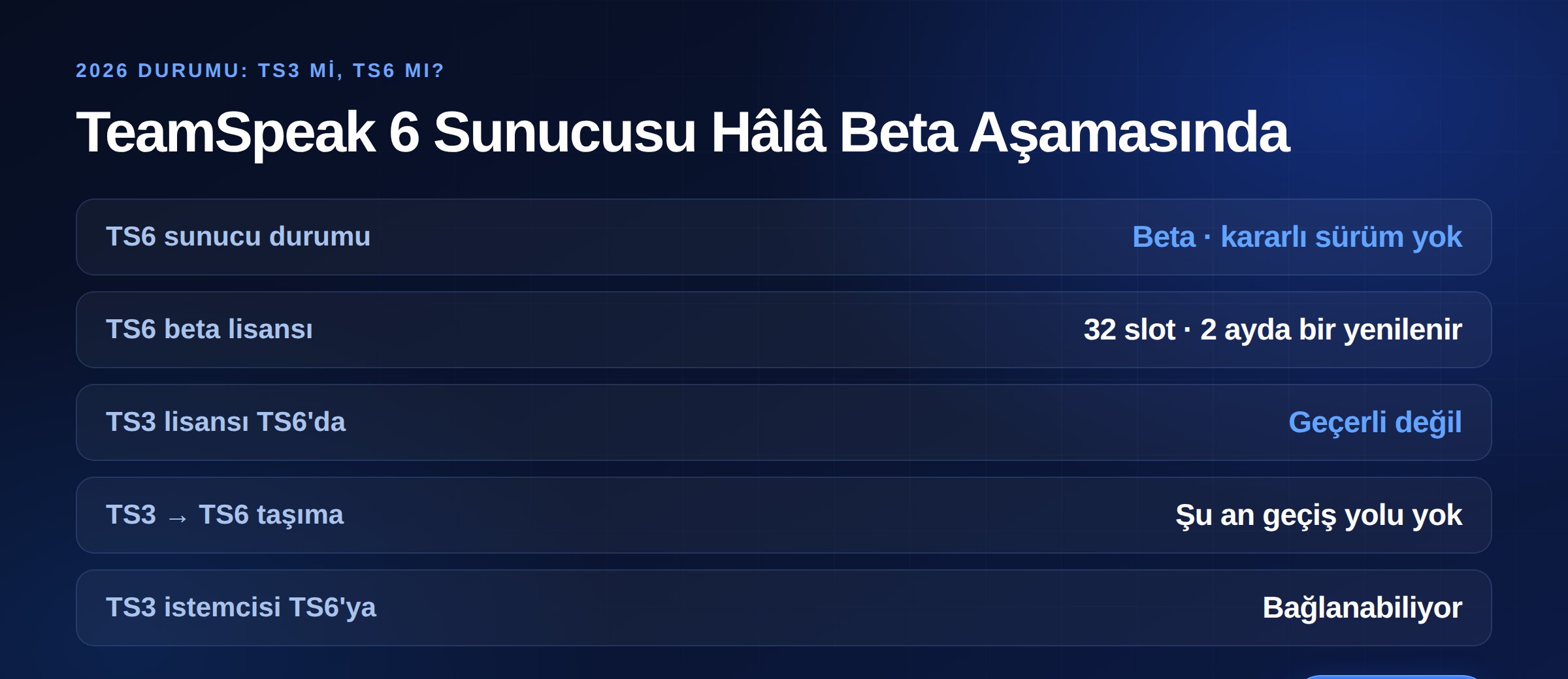
If you are setting up a new voice server this is the first question, and the answer is clear: the TeamSpeak 6 server software is still in beta. The official repository states its purpose plainly — collecting feedback and identifying issues before a stable release. For production, TS3 remains the choice.
Four points to know before deciding:
The practical takeaway: if you are building a community today, go with TS3. If you want to try TS6, run it as a beta on a separate server rather than moving your live community.
Step one is opening the right ports. TeamSpeak 3 server uses:
Port numbers are configurable for every service except TSDNS. The server also communicates outbound with TeamSpeak's accounting and services domains on ports 2008 and 443 depending on version — account for that if you restrict outbound connections.
Security note: do not leave ServerQuery and WebQuery ports open to the internet. These are the server's full management interface and the first target for brute-force attempts. Close them if unused; restrict them to your own IP if you need them.
When the server starts for the first time it prints a privilege key (token) to the console. This is a single-use code that adds you to the Server Admin group.
The steps:
Lost the key? Do not panic — a new one can be generated through ServerQuery. On a rented server, your provider's panel usually offers a "generate new admin token" button.
Privilege keys are not only for admins. You can generate keys that automatically add someone to a specific server or channel group — giving a new member a single-use code that puts them straight into the "Member" group is far more practical than assigning permissions by hand.
TeamSpeak's permission system looks complex at first because permissions can be defined at four separate layers:
The confusion comes from this: whether a user can do something is the combination of all four layers. So when "I gave them permission but it does not work", you may be looking at the wrong layer.
Practical advice: do everything through server groups. Assigning permissions to individual users is quick in the short term, but six months later nobody remembers who has what and why. Use channel groups only for genuinely channel-specific cases.
For most communities a simple hierarchy is enough:
Two principles: least privilege — give nobody more than they need; and separate ban authority — keep permanent bans out of the moderator group. A permanent ban issued during an argument is the fastest way to split a community.
When building groups, use the Copy Group feature: duplicating an existing group and adjusting it produces far fewer mistakes than assembling a permission list from scratch.
TeamSpeak has three channel types, and choosing the right one determines your management workload:
A layout that works: a Lobby at the top as the default channel, topic-based permanent channels below it, and a section at the bottom where users can create their own temporary channels. Using spacers for visual separation makes navigation noticeably easier on busy servers.
You can set a channel password or a required permission power on any channel. For places like a staff meeting channel, permission power is cleaner than a password — passwords leak, group membership does not.
The codec and quality values in channel settings together determine both clarity and bandwidth consumption. Speech-oriented codecs perform well at low bandwidth, while channels carrying music need higher quality.
The critical point to understand: bandwidth on a voice server scales not with user count but with the number of simultaneous speakers. In a ten-person channel with one speaker, the server relays to nine people; with two speakers, that doubles. The real bottleneck is therefore the server's upload capacity.
Practical consequences:
On latency, location decides: if your users are in Turkey, a domestic server buys 40–60 ms over overseas. In voice, that difference is felt directly as people talking over each other.
A TeamSpeak server runs with a slot limit; more requires a licence. The official options:
The important distinction: buying a licence and reselling servers to others is not covered by these licences. Which is why renting a ready TeamSpeak server and self-hosting under your own licence are different routes. When renting, the licensing question is settled between the provider and TeamSpeak; you do not buy one separately.
Licence terms can change, so if you plan to self-host, verify current conditions on TeamSpeak's official page before purchasing.
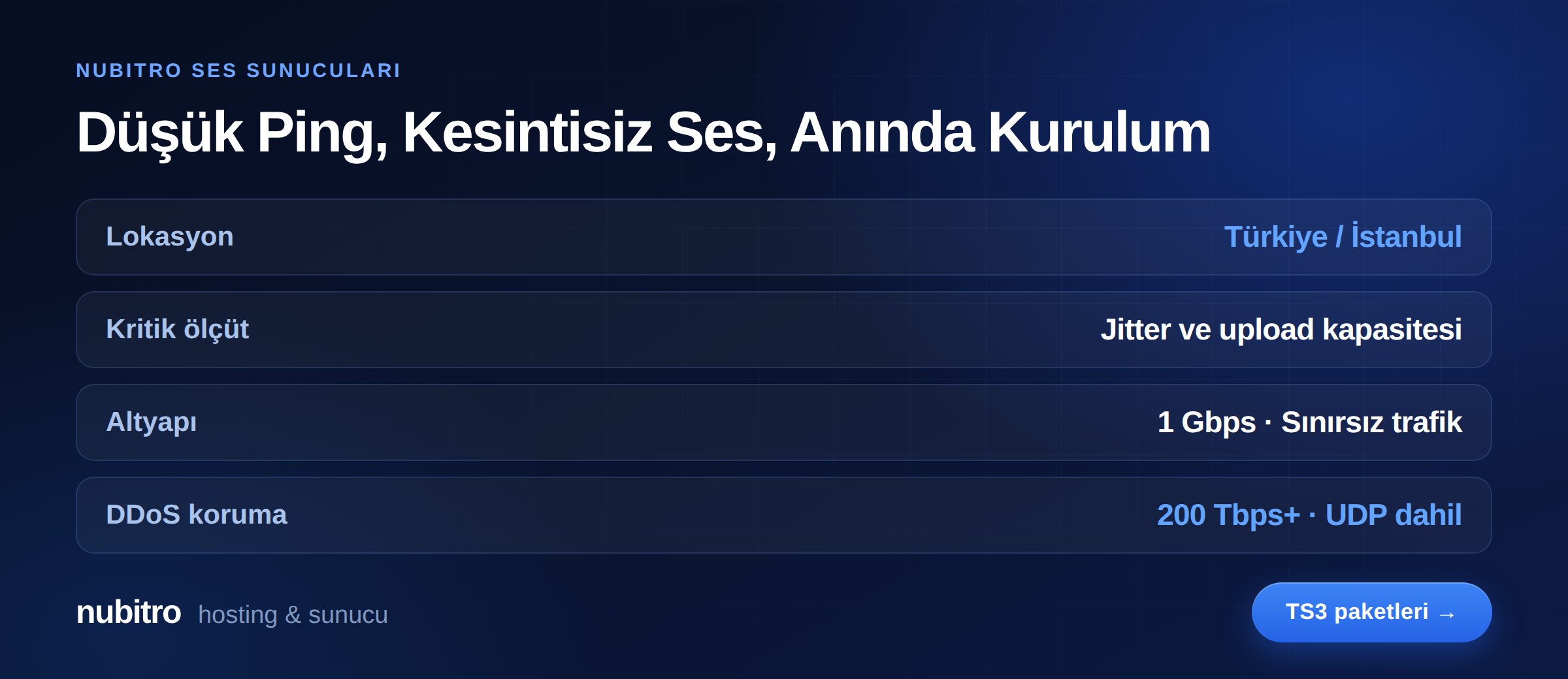
On a voice server, user experience is decided not by RAM or CPU but by the network: upload capacity, jitter and latency. Nubitro voice servers run in Istanbul, Turkey with 1 Gbps unmetered traffic, and the infrastructure carries 200 Tbps+ DDoS protection as standard.
For a domestic user base, the Istanbul location delivers a direct latency advantage over overseas hosting — in voice, that is felt immediately in conversational flow. Provisioning completes instantly after ordering.
Review the plans on our TeamSpeak 3 server hosting page, or see our game server hosting guide if you are planning voice alongside game servers. For everything else, visit the Nubitro homepage.
A new one can be generated through ServerQuery. On a rented server, your provider's panel usually has a "generate new admin token" option. You do not need to reset the server.
You are probably looking at the wrong layer. Permissions are defined across server groups, channel groups, client and channel, and the result is the combination of all four. Check which groups the user belongs to and whether a channel-level restriction applies.
Not yet if you have a live community. The TS6 server is still beta, the licence is limited to 32 slots and renewed every two months, TS3 licences do not carry over, and there is no official migration path. Try it on a separate server if you are curious.
Look at concurrent connected users, not total membership. In communities, only a fraction of members are online at once. Target a little above your peak-hour figure.
Not in busy channels. Because bandwidth multiplies with simultaneous speakers, high quality can return more in jitter and dropouts than it gains. Raise it on a specific channel, such as a music channel, instead.
The server database file and configuration files. The channel tree, server groups and the whole permission structure are stored there — without them, rebuilding takes hours.
 Turkey (Türkçe)
 Worldwide (English)