

What decides game server performance is not core count but single-thread speed — and on that measure the AMD Ryzen 9 9950X scores roughly 2.4× what a 22-core Xeon E5-2699 v4 manages. Most people shopping for a Ryzen server sense this already, but rarely see the number. This guide explains why a game server would rather have 16 fast cores than 22 slow ones, which resource each game actually saturates, and which figure to read on a spec sheet — backed by independent benchmark data.
A game server must produce a fixed number of "ticks" per second. Each tick recalculates player movement, collisions, NPC AI, scripts and physics. The catch: most of that work runs sequentially on a single main thread.
Minecraft is the clearest example. The server targets 20 TPS, giving each tick a 50 millisecond budget. Finish under 50 ms and the server waits for the next cycle; go over, and the next tick starts late and the delay compounds. Once accumulated delay hits 2,000 ms the console prints the familiar Can't keep up! warning, and if it persists past 60 seconds the watchdog kills the process outright.

FiveM and SA-MP share the architecture: the main thread runs on one core, and as script load grows that single core saturates. This is why a 40-player FiveM server running 30 resources performs worse on eight weak cores than on four strong ones. The extra cores sit idle while the main thread falls behind.
Most budget VDS plans on the market still run on the Xeon E5 v4 family, launched in 2016. Official specifications and independent PassMark scores:
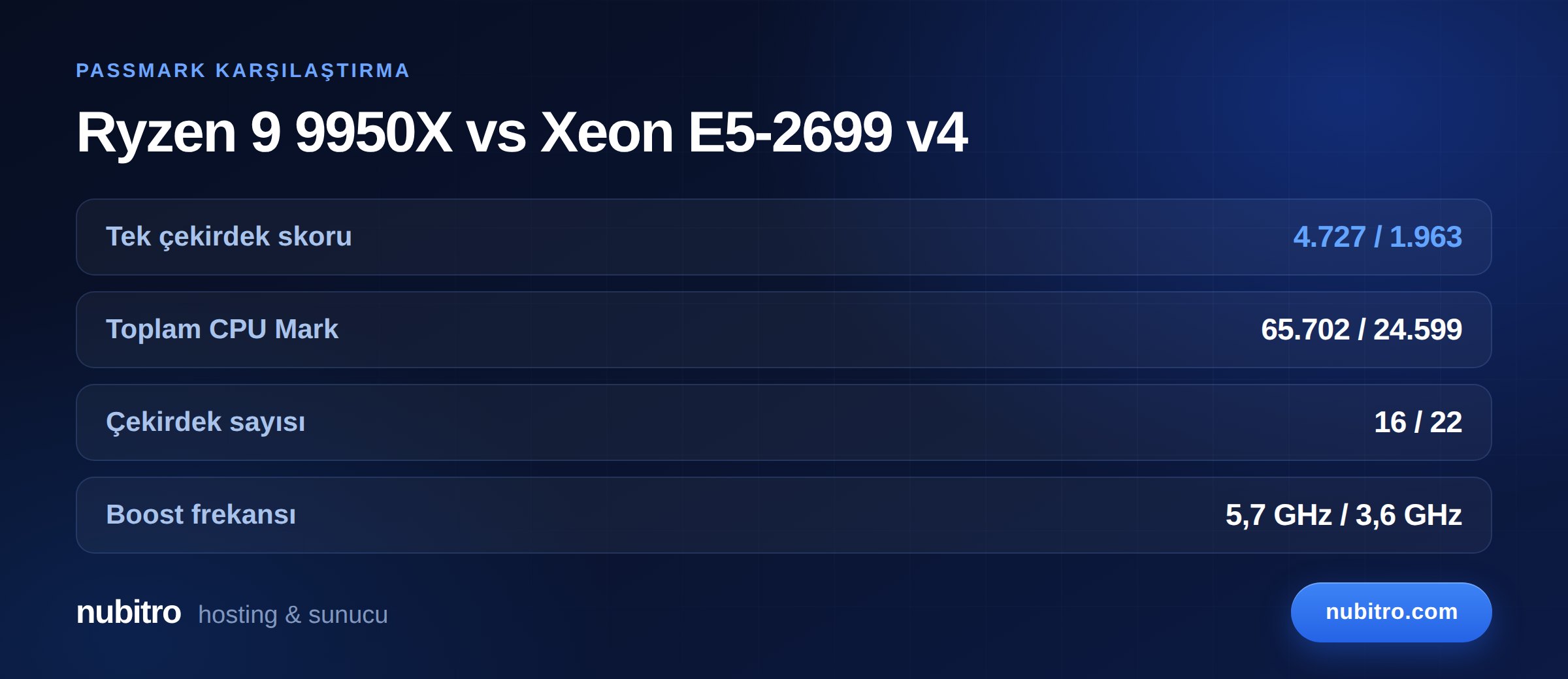
Note what that means: the Xeon has more cores — 22 against 16 — and still loses on both single-thread and total throughput. In game hosting terms, under identical script load the 9950X server sits comfortably inside its tick budget while the Xeon server presses against the 50 ms ceiling, which players experience as lag.
Single-thread speed is not the whole story. Core count does real work in these cases:
The right mental model: single-thread performance sets your ceiling; core count sets how many things you can run at once. For a game server, look at the ceiling first and the width second.
The CPU alone does not decide the outcome. Three more factors shape a game server:
Our VDS buying guide breaks down what each of these components actually buys you.
A plan advertising "8 vCPU" does not hand you eight full cores. In virtualisation, vCPUs are scheduled onto physical cores, and when neighbours on the same machine get busy your main thread queues behind them. On a game server the result is irregular tick times — invisible on most graphs, immediately obvious to players.
So when comparing plans, ask three things: is the CPU model stated openly, are vCPUs shared or dedicated, and how many customers sit on one physical machine. A provider that hides the CPU model usually hides it because the silicon is old.
We covered how resource allocation differs between the two tiers in VDS vs VPS.
Nubitro's Ryzen 9 9950X plans run from 2 cores / 4 GB up to 12 cores / 64 GB. A practical mapping:
A VDS delivers resources through a virtualisation layer. Moving to bare metal makes sense in three situations: you serve 200+ concurrent players, you want to consolidate several large servers on one machine, or you run a competitive community where even small tick-time variance is unacceptable.
In nearly every other case a VDS with strong single-thread performance beats a dedicated box at the same price — because that dedicated budget usually buys an older CPU with slower cores.
Nubitro's AMD Ryzen 9 9950X VDS plans run from Istanbul with NVMe M.2 storage, 10 Gbps unmetered traffic and always-on DDoS filtering. A selection of monthly prices:
See the full range and current pricing on the Ryzen 9 9950X VDS/VPS page, or look at dedicated server plans for projects that need complete resource isolation. Budgeting a game server? Our FiveM server cost breakdown separates every line item.
Ryzen, for game hosting. PassMark single-thread scores put the Ryzen 9 9950X at 4,727 against 1,963 for the Xeon E5-2699 v4, and because game logic runs on one thread that gap lands directly on tick time. The Xeon's extra cores only help with parallel workloads.
For a single game server, 4–6 cores covers most cases. Adding cores does not raise one server's performance ceiling — it matters once you run multiple servers, a database or a panel alongside it.
Yes. Launched in August 2024 on Zen 5, it holds one of the highest desktop-class single-thread scores available. Zen 6-based Ryzen 10000 parts have not shipped, and sources disagree on the timing.
No. RAM is a floor, not a ceiling. Once you have enough, more adds nothing; once you run short, you hit swap and tick times fall apart. Speed lives in the CPU and the disk.
A vCPU is a logical core the hypervisor presents to you, scheduled onto physical cores underneath. In shared environments your main thread can queue behind busy neighbours, which surfaces as irregular tick times.
That the server could not fit its ticks into the 50 ms budget and accumulated 2,000 ms of delay. It is almost always single-thread performance or excessive plugin and entity load. We covered the fixes in our Minecraft server optimization guide.
Can't keep up!. Turkey (Türkçe)
 Worldwide (English)